How to Build Market-Based Pricing Rules in Pricemaster
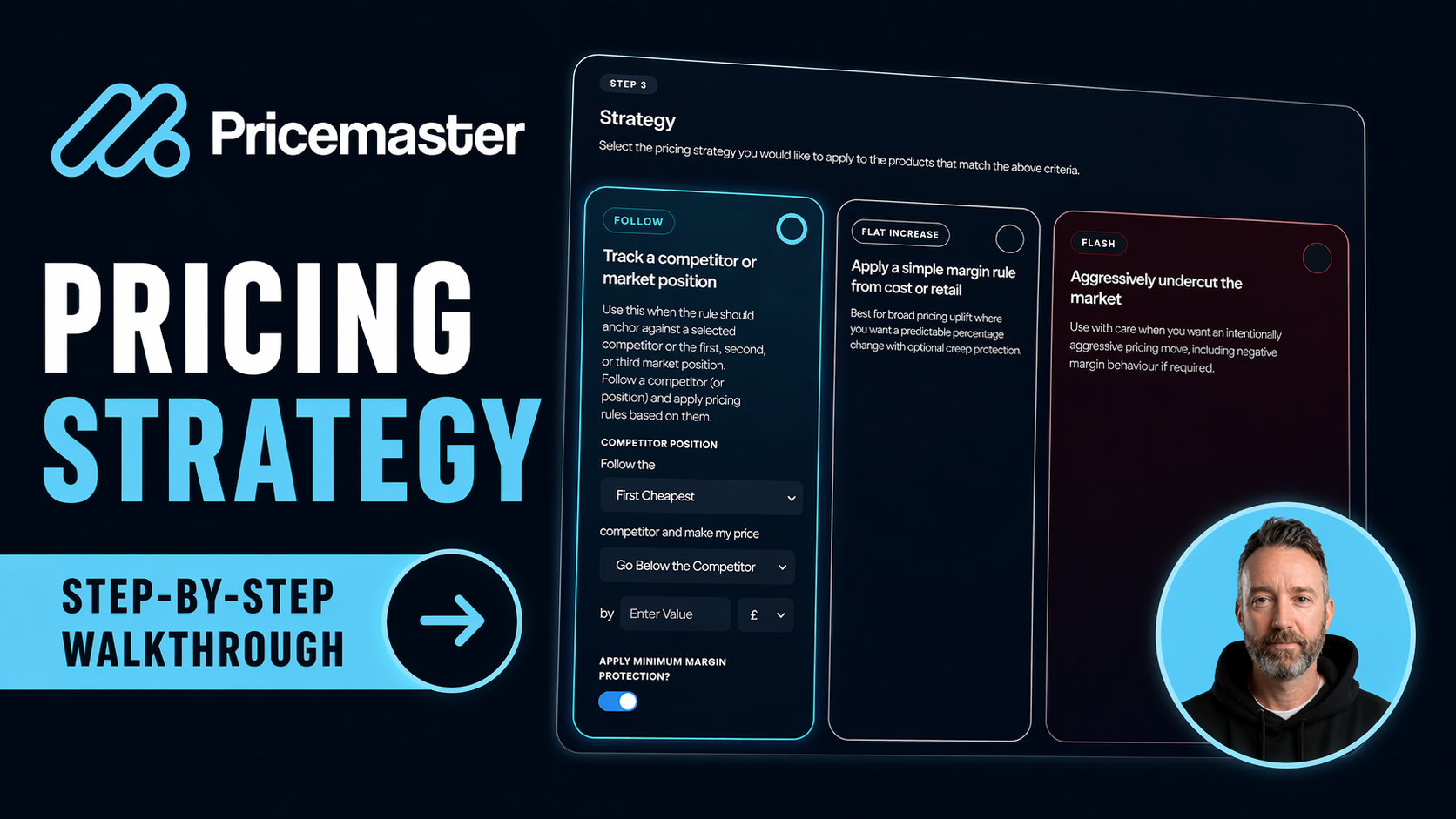
Market-based pricing only works when it is structured. If teams are checking competitors manually, applying one blunt rule across a whole catalogue, or reacting too slowly to market movement, margin usually suffers. This walkthrough shows how Pricemaster turns that process into a repeatable rule system that is easier to manage and far more precise.
In the video, Pricemaster walks through the exact setup flow for a Market-Based Pricing Rule: naming the rule, filtering products, choosing a strategy, setting a schedule, rounding prices, testing the output, and then moving into full automation.
Start with a clear rule name
The first step is simple but important: name the rule clearly. As your pricing setup grows, clear naming makes it easier to understand what each rule controls, where it applies, and how it fits into your wider strategy. Even in the example video, the rule starts life as a straightforward test rule, which shows how quickly teams can move from setup to execution.
Filter the right products into the rule
The next step is product selection. Pricemaster lets you filter the products included in a rule by brand and then narrow further using tags. In the walkthrough, the example rule targets the brand Dickies and then narrows that group down to Dickies T-shirts. Once selected, the system shows the exact number of matching products so you can see what the rule will control before you go any further.
This matters because strong pricing strategy is rarely one-size-fits-all. The more precisely you can segment products, the easier it becomes to match strategy to how those products actually compete.
Choose the pricing strategy that fits the goal
Pricemaster then moves into the strategy layer. The walkthrough covers three different approaches, each suited to a different commercial goal.
1. Follow Market
Follow Market is designed for competitor-led pricing. You choose your position in the market, such as first cheapest, second cheapest, or third cheapest, and then decide how your final price should sit against that position. You can go above or below by a fixed amount or by a percentage. In the example, the rule is set to price 5% above the second cheapest competitor.
This is useful when you want to stay deliberately competitive without always being the absolute cheapest.
2. Flat Rule
The Flat Rule is better suited to bulk pricing changes across a selected group of products. In the video example, the target is a flat 45% margin on Dickies T-shirts. Pricemaster then adjusts prices to work toward that margin while still responding to the nearest competitor within range.
This gives teams a way to anchor pricing around profitability, not just rank in the market.
3. Flash Rule
Flash Rules are the aggressive option. They are intended for situations where speed matters more than standard margin protection, such as clearing aged stock, running short-term promotions, or pushing through a flash sale. The walkthrough makes an important point here: Flash Rules are the only case where you can go below your minimum margin, which is why they are clearly treated as a special mode rather than normal day-to-day pricing.
Add scheduling if the rule should only run at certain times
By default, a rule runs continuously, but Pricemaster also allows rules to be scheduled. The video highlights two practical examples: a Black Friday promotion with a clear start and end date, and a recurring weekend rule that starts on Friday evening and ends on Monday morning.
That scheduling layer is valuable because it removes manual switching. Teams can set the commercial intent once and let the platform handle timing automatically.
Use price rounding to keep prices clean
After strategy and scheduling, Pricemaster allows price rounding so final prices stay clean and consistent. In the walkthrough, examples include rounding to the nearest 99p, 50p, or whole pound. This is a small step operationally, but it has a real effect on how polished and deliberate prices look on site.
Run a simulation before going live
Before activating the rule, Pricemaster gives you the option to run a simulation. This is one of the most useful parts of the process because it lets teams validate the rule safely before it starts affecting live prices. You can confirm that the logic behaves exactly as expected, which reduces risk and makes automation much easier to trust.
Switch to full automation when you are happy
Once the rule has been tested, Pricemaster can move it into full automation and run it daily. That final step is where the real value compounds. Instead of checking competitors manually and adjusting prices by hand, the pricing logic becomes a managed system that runs consistently in the background.
Why this workflow matters
The real takeaway from the video is not just that Pricemaster can automate pricing. It is that the rule-building process is structured enough to support serious strategy. Teams can decide which products a rule applies to, how aggressively those products should compete, when the rule should run, how the end price should look, and whether the result should be simulated before activation.
That combination of control and automation is what makes market-based pricing usable at scale.
Watch the walkthrough and see it in context
If you want to see the full setup flow in action, the embedded video above walks through each step inside the platform. If you would like to see how this could work on your own catalogue, book a demo and the team can show you how to build pricing rules around your products, margins, and competitors.
FAQs
What is a Market-Based Pricing Rule in Pricemaster?
A Market-Based Pricing Rule is an automated pricing instruction set inside Pricemaster. It lets you define which products the rule applies to, how those products should be positioned against the market, and how the platform should update prices automatically.
Can I filter products by brand and tag before applying a rule?
Yes. Pricemaster allows you to filter products by brand and then narrow further using tags, so the rule only affects the product group you want to control.
What is the difference between Follow Market, Flat Rule, and Flash Rule?
Follow Market positions your products relative to competitor pricing, Flat Rule targets a pricing or margin outcome across a selected group, and Flash Rule is the aggressive option for fast stock clearance or short-term promotions.
Can Pricemaster schedule rules for promotions like Black Friday?
Yes. Rules can run continuously or be scheduled around start and end dates, which makes them useful for Black Friday campaigns, weekend rules, and other time-based pricing events.
What does the simulation step do?
The simulation step lets you test the rule before going live. It helps confirm that the pricing logic behaves as expected so you can validate the output safely before switching to automation.
Can Flash Rules go below minimum margin?
Yes. In the walkthrough, Flash Rules are described as the only case where pricing can go below the normal minimum margin, which is why they are intended for special situations like stock clearance or flash sales.